KiviCare Lite
The Email Template Settings feature in KiviCare enables administrators to manage and customize automated email notifications sent by the system. This ensures clear, consistent, and branded communication with Patients, Doctors, Clinics, and Receptionists across all system activities.
This feature provides flexibility and control over system-generated emails:
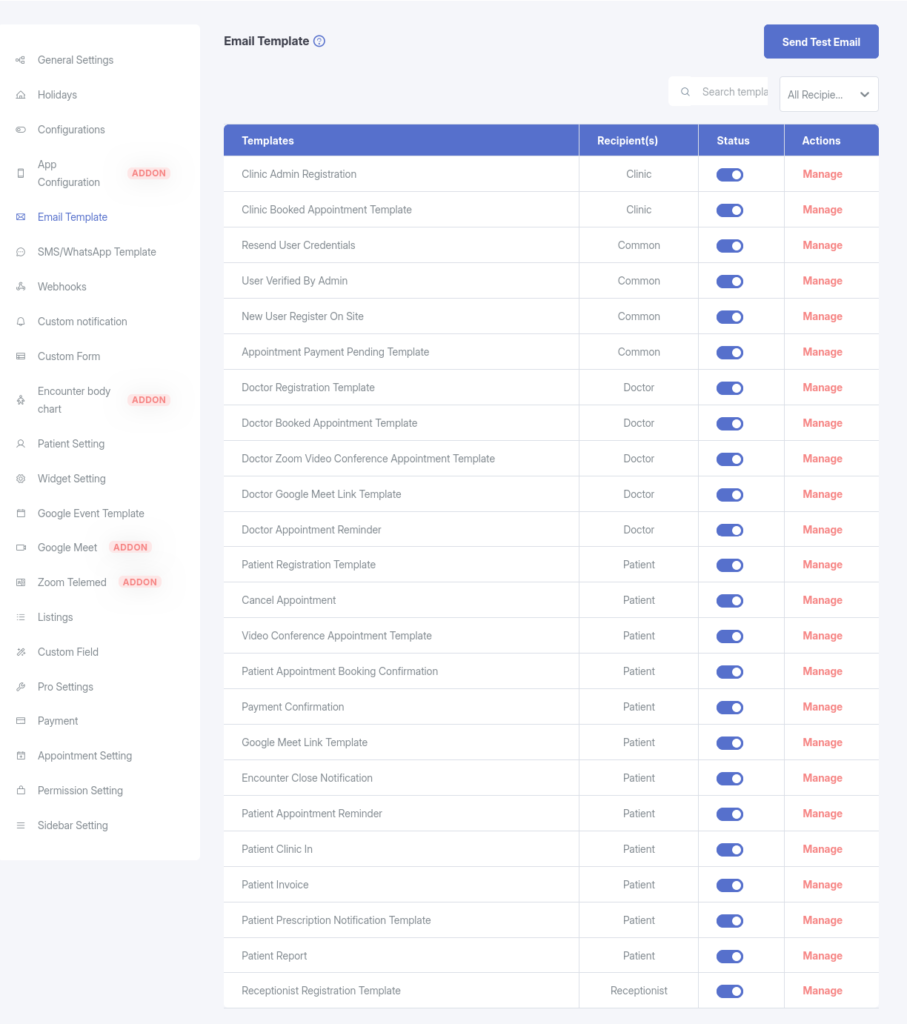
The Email Template Settings page retrieves a predefined list of email templates from the server. Administrators can:
When a system event occurs—such as an appointment booking—the system checks whether the relevant email template is active. If enabled, the email is sent using the configured subject and body content.
View all available email templates, organized by recipient type:
Quickly locate specific templates by name or filter them based on user roles.
Easily toggle each template between:
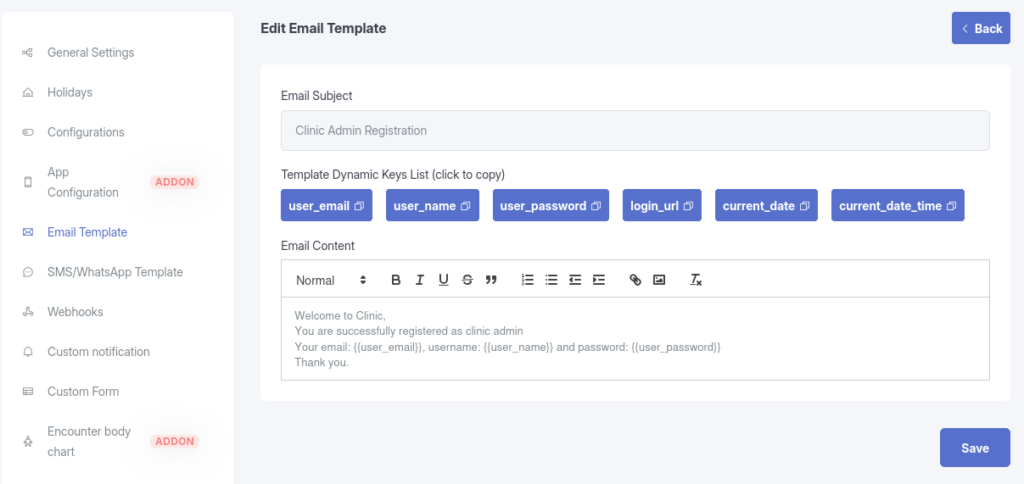
Edit both the Subject and Body of each email template.
Supports dynamic placeholders {{patient_name}} to create personalized messages.
Use the Send Test Email feature to send a sample email to any address. This helps verify email delivery and ensures your SMTP configuration is working properly.