Settings & Configuration
Last updated 8 months ago
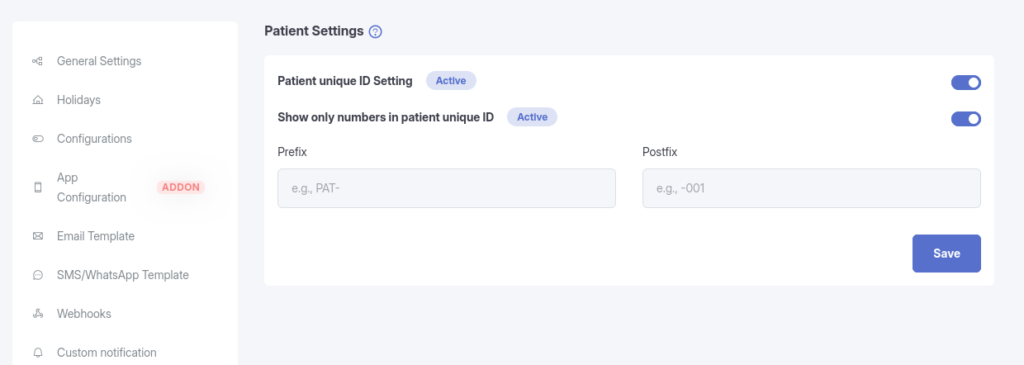
The Patient Settings section allows administrators to control how Patient Unique IDs are generated, displayed, and managed across the system.
Patient Unique ID Settings
Enable Patient Unique ID
When this setting is enabled:
- The Patient Unique ID is displayed in:
- Patient List
- Patient Add/Edit Form
- The Patient Unique ID can be manually edited by the following roles:
- Clinic Admin
- Doctor
- Receptionist
When this setting is disabled:
- Patient Unique ID will not be generated
- Patient Unique ID will not be shown in patient listings or forms
Use case:
Enable this setting if you want to uniquely identify patients using a system-generated ID instead of relying only on names or emails.
Show Only Numbers in Patient Unique ID
When enabled:
- The Patient Unique ID will contain only numeric values
- Prefix and postfix values will be ignored
When disabled:
- The Patient Unique ID can include:
- Numbers
- Prefix
- Postfix
Use case:
Useful if your organization follows a numeric-only patient ID format.
Patient Unique ID Prefix
- Text added before the generated patient ID
- Example:
PAT-
Patient Unique ID Postfix
- Text added after the generated patient ID
- Example:
-001
Example Patient Unique ID Formats
| Configuration | Result |
|---|
| Prefix only | PAT-12345 |
| Postfix only | 12345-001 |
| Prefix + Postfix | PAT-12345-001 |
| Only Numbers Enabled | 12345 |
⚠️ Important Notes
- Changing prefix, postfix, or numeric-only settings will affect newly generated Patient Unique IDs.
- Existing Patient Unique IDs can still be manually edited by authorized roles.
- Ensure consistency in your ID format to avoid confusion in patient records.