
KiviCare Lite
The Holidays Management module is a comprehensive scheduling tool designed to handle clinic and doctor availability effectively. It allows authorised users to schedule non-working days, ensuring that appointments cannot be booked during these periods. This feature is critical for maintaining an accurate appointment calendar and preventing scheduling conflicts.
To access the Holidays Management settings:
The main interface provides a centralized view of all scheduled holidays, offering powerful tools for filtering and management.
Description: A full-width screenshot of the Holiday List page. The image should highlight the filter bar (Schedule Type, Module Select, Search) at the top, the main data table with columns (ID, Schedule of, Name, Dates, Actions), and the “Add Holiday” button in the top-right corner.

To add a new non-working period to the calendar, follow these steps:
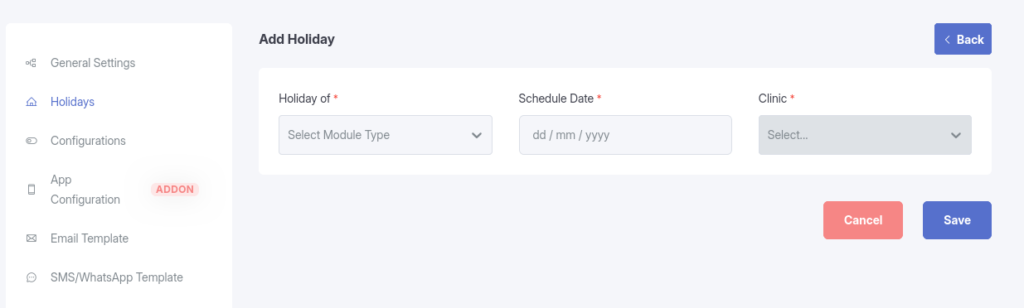
Description: A focused screenshot of the “Add Holiday” form. Highlights should include the “Holiday of” dropdown selection, the “Clinic/Doctor” selection field, and the “Schedule Date” range picker.
Access to the Holidays Management module is governed by user roles to ensure data integrity.
| Role | Permissions | Scope |
|---|---|---|
| Clinic Admin | Full Access | Can view, create, edit, and delete holidays for their assigned Clinic and All Doctors within that clinic. |
| Receptionist | Full Access | Can view, create, edit, and delete holidays for their assigned Clinic and All Doctors within that clinic. |
| Doctor | Restricted Access | Can view clinic-wide holidays. Can manage (Create/Edit/Delete) only their Own personal holidays. |
[!IMPORTANT]
Automatic Appointment Cancellation
When a new holiday is created or an existing one is modified, the system will check for conflicting appointments. Any existing appointments scheduled during the new holiday period will be automatically cancelled. A system warning will be displayed requiring confirmation before this action is executed.