The Patient Records Management module serves as the central directory for your clinic. It provides a complete list of all registered patients and enables quick access to their medical history, appointments, and profile settings.
This module helps clinics efficiently manage patient information and maintain accurate, organized records.
1. Accessing the Patient List
To access patient records:
Click Patients from the main sidebar menu
The complete patient list will be displayed
2. Patient List Interface
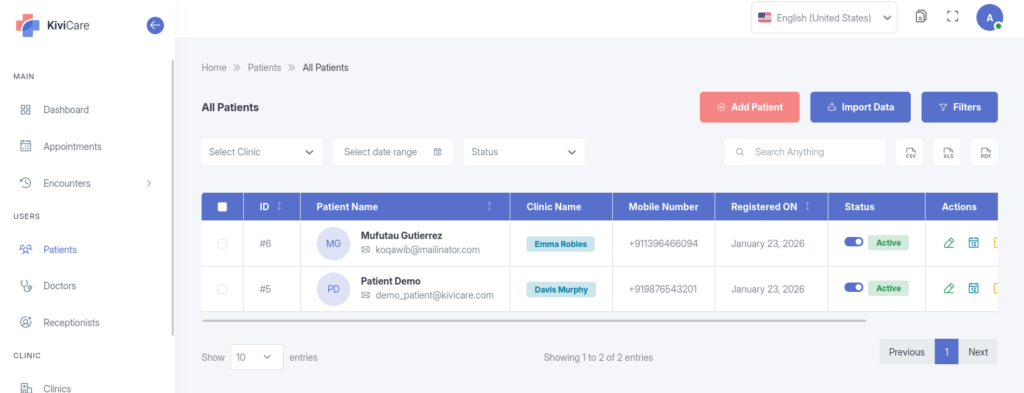
The All Patients interface is designed for fast and efficient retrieval of patient data.
Description: A full-width screenshot of the All Patients page highlighting the Search Bar, Add Patient button, filter options, and the main data table with columns such as ID, Name, Mobile, and Status.
Key Features
Search Bar: Instantly locate a patient by entering their Name, Patient ID, Mobile Number, or Email Address
Date Filter: Use the date range selector to find patients registered within a specific period (for example, This Month)
Status Filter: View only Active or Inactive patient accounts
Clinic Filter (Admin Only): For multi-clinic setups, filter patients by a specific clinic or branch
Export Data: Download the patient list in CSV, Excel, or PDF format for reporting or offline access
Patient Grid Columns
The patient list table displays the following information for each record: