
KiviCare Lite
The Quick Start Setup Wizard helps you configure KiviCare EHR quickly and efficiently after installation.
It guides administrators through the essential setup steps required to make the system fully operational.
This wizard is designed to reduce initial configuration time and apply best-practice default settings, allowing you to start using KiviCare with confidence.
Use the Quick Start Setup Wizard if:
Advanced settings can be customized later from the KiviCare admin panel.
The Setup Wizard can be accessed in the following ways:
The wizard displays a step-by-step form that collects the required information and completes the core system configuration.
The Quick Start Setup Wizard includes the following steps:
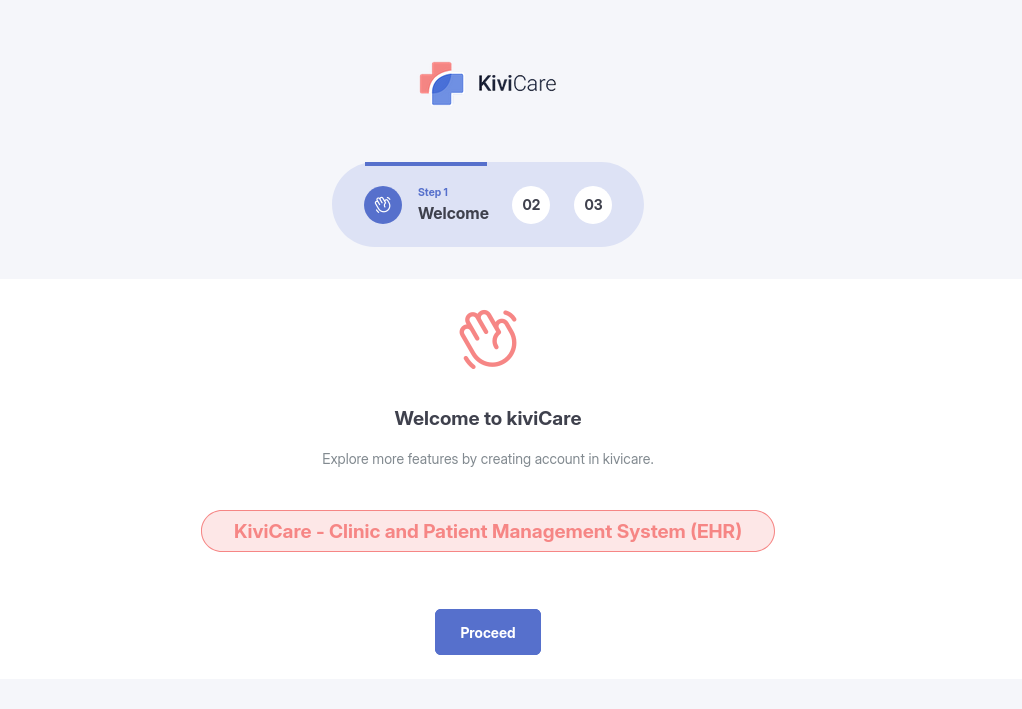
This is the introductory screen of the setup process.
It explains the setup flow and highlights the information you should prepare in advance.
This step is informational and helps you understand the configuration process before proceeding.
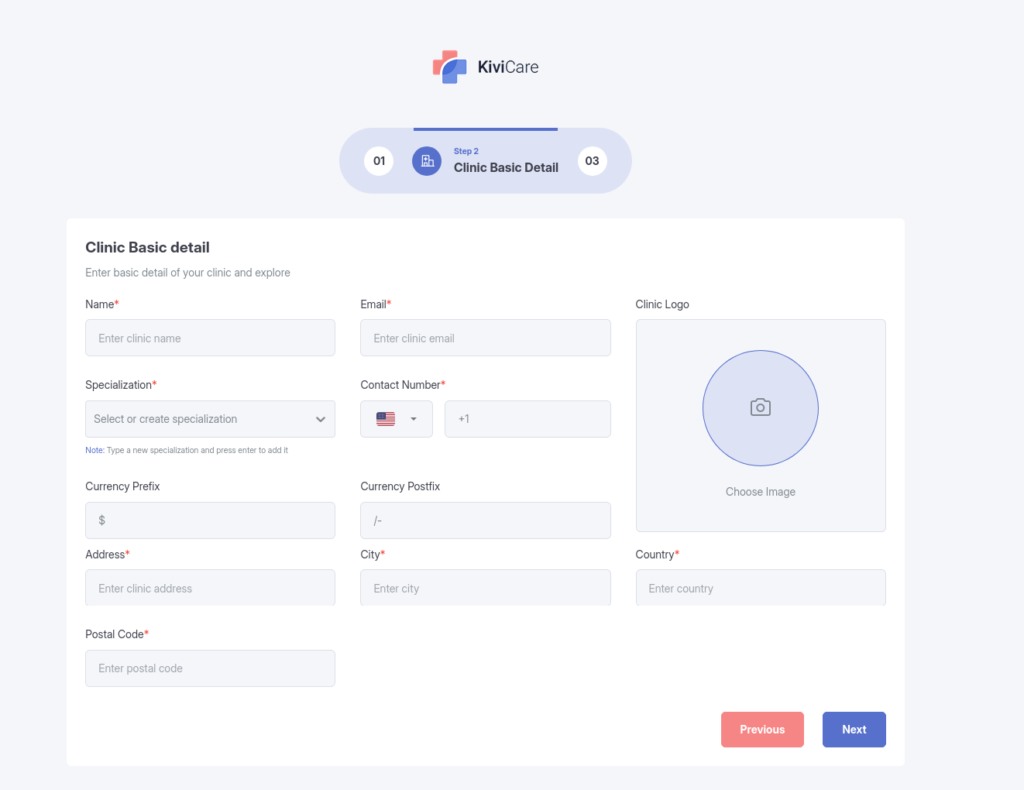
In this step, you provide essential clinic information, including:
Complete all required fields and click Next to continue.
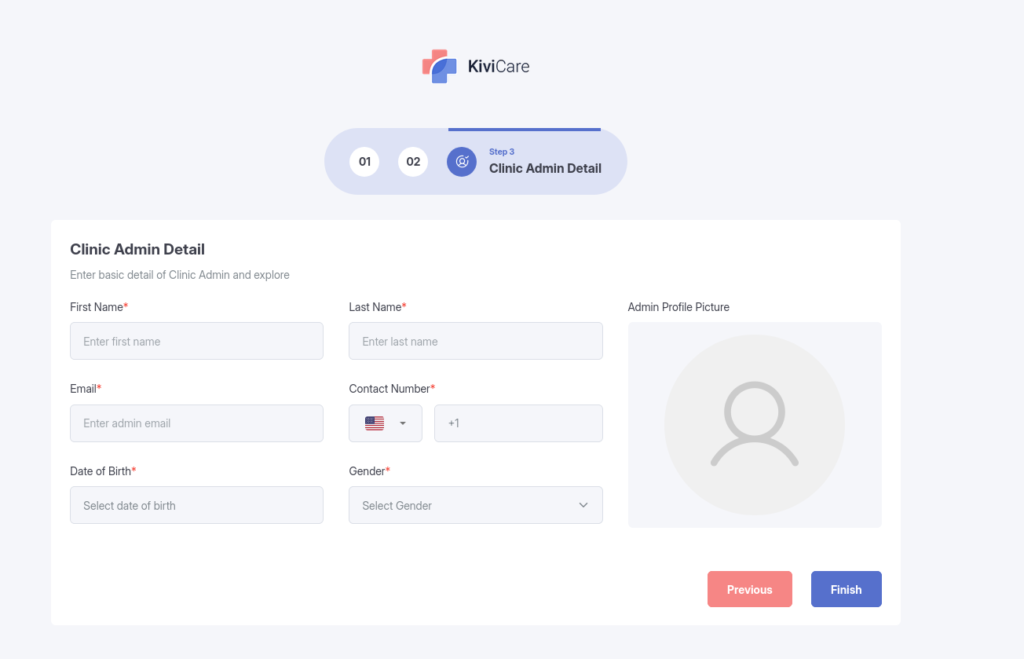
This step allows you to create the primary Clinic Administrator account.
You will be asked to enter the administrator’s details, such as:
Once completed, click Save or Finish to apply the settings.
After submitting the clinic and administrator details:
Your clinic is now ready to use, and you can begin managing users, appointments, and patient records.
To ensure a smooth setup:
Warning: Incorrect information at this stage can cause issues during clinic operations.
After completing the Quick Start Setup Wizard, you can continue with:
These steps are explained in detail in the following documentation sections.
Yes. The Quick Start Setup Wizard is mandatory.
KiviCare EHR will not function correctly until the wizard is completed. Core modules such as clinic configuration, administrator setup, and essential system settings depend on this process.
Yes. All information entered during the setup wizard, including clinic details and administrator information, can be updated later from the KiviCare admin settings.
No. Re-running the setup wizard does not automatically overwrite existing data or configurations. Changes are applied only when you explicitly update and save the settings.