Efficiently import and export large amounts of data using CSV or Excel files for quick setup, data migration, and backup.
Overview
KiviCare Pro’s Bulk Import & Export feature allows you to add hundreds or thousands of records at once, migrate data from other systems, and create backups of your data.
Key Benefits:
Time Saving: Import 100s of records in seconds
Data Migration: Move from other EHR/clinic systems
Multiple Formats: CSV and Excel (XLSX) supported
Bidirectional: Both import and export
Auto-Notifications: Send welcome emails/SMS to imported users
Smart Validation: Automatic error detection
Sample Files: Download templates for easy formatting
Patients – Demographics, medical history, insurance
Receptionists – Reception staff details
Clinics (Multi-clinic) – Clinic info and clinic admin
Operational Data: 5. Appointments – Bulk schedule appointments 6. Services – Doctor services and pricing 7. Prescriptions – Medication master list 8. Custom Fields – System field definitions 9. Listings – Medical terms and classifications
Importing Data
Quick Import Process
Simple 4-Step Process:
Choose Data Type
Download Sample File
Fill Your Data
Import File
Step-by-Step: Importing Patients
Step 1: Access Import Tool
For Patients:
Patients → All Patients
Click Import
Import modal opens
For Other Data:
Doctors → All Doctors → Import
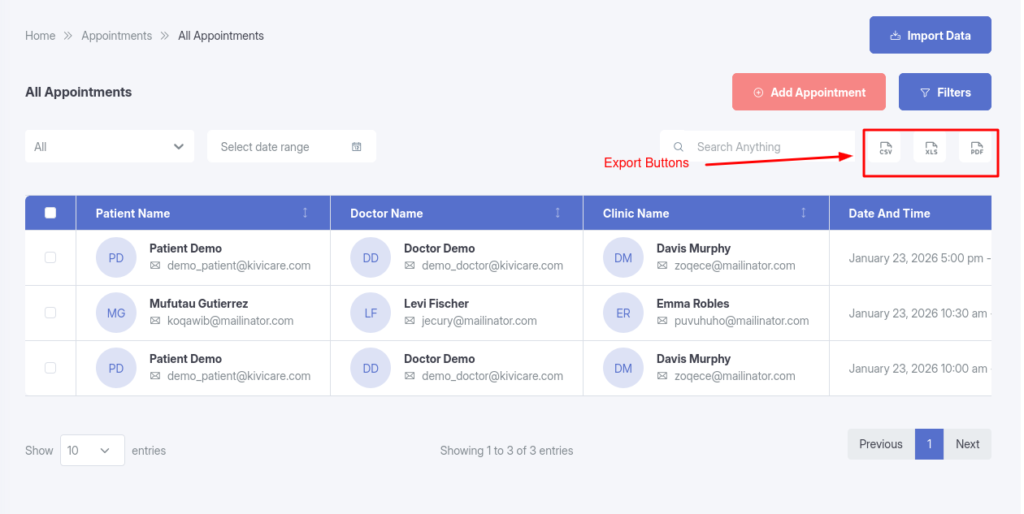
Appointments → All Appointments → Import
Services → Doctor Services → Import
Step 2: Select File Format
CSV
XLSX
Recommendation: Use CSV for simplicity, XLSX if you need Excel features